
Use rich text, media, and piping in survey questions
Add formatted text, images, videos, and piping variables to your survey questions.
QuestionPunk includes a rich text editor for question text. You can add images, videos, bold or italic text, links, and piping variables directly in your questions. Piping can insert dynamic content from earlier answers or metadata.
Before you start
Open your survey in Build and select the question you want to edit. Prepare any image, video, or earlier-answer variable you plan to insert.
Steps
Open a question in Build
In the top section switcher, go to Build. Click any question to open the editor. The question text field supports rich text formatting.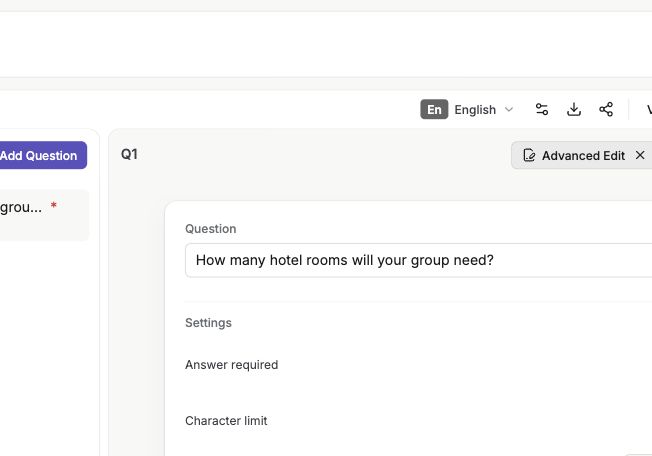
English interface · Demo study. Use the controls described in this step.
Apply text formatting
Use the toolbar to add bold, italic, links, and other formatting. Use formatting to highlight key terms or show instructions clearly.Insert images or videos
Click + in the editor, or type /. Then insert an image or a YouTube or Vimeo video into the question. Use media for concept testing, product mockups, or other visual stimuli.Insert dynamic content with piping
Click Piping, or choose it from the + menu, to insert variables into your question text. You can add answers from earlier questions, such as "You mentioned {{Q1}}. Tell us more.", respondent metadata such as city, country, or browser, and system variables such as current date or response ID. Transformations such as UPPER, lower, and Title Case are available.
Rich text formatting makes questions easier to read. Use bold for key terms, links for reference material, and embedded media for visual context.
Images are especially useful in concept testing surveys where respondents need to react to visual designs or product screenshots.
Piping inserts dynamic content into question text. Reference earlier answers with {{Q1}}, {{Q2}}, and similar variables to personalize follow-up questions. Metadata variables include IP address, city, state, country, browser, OS, timezone, and screen resolution. System variables include current date/time, response ID, question count, and answers so far. IP-based fields are empty when Minimize IP and location data is on. You can apply text transformations such as UPPER, lower, Title Case, Sentence case, and word or character limits to piped values.
Check the result
The question text shows your formatting, media, or piping variable in the editor. You can confirm that the inserted content appears in the question body.
If something goes wrong
If you do not see media or piping options, click into the question text field first, then use + or type /.