
Personalize AI with Memory
Save your industry, role, brand voice, research methods, and target audiences in Settings → Memory so AI drafts, personas, and reports reflect your context.
Memory stores workspace-level context that QuestionPunk uses when generating survey drafts, creating AI personas, and writing research reports. You can populate Memory through the onboarding interview or edit every field directly in Settings → Memory at any time.
Before you start
Sign in to your QuestionPunk account and decide which team-wide context (industry, role, brand voice, and audiences) should apply across your studies.
Steps
Open Settings → Memory
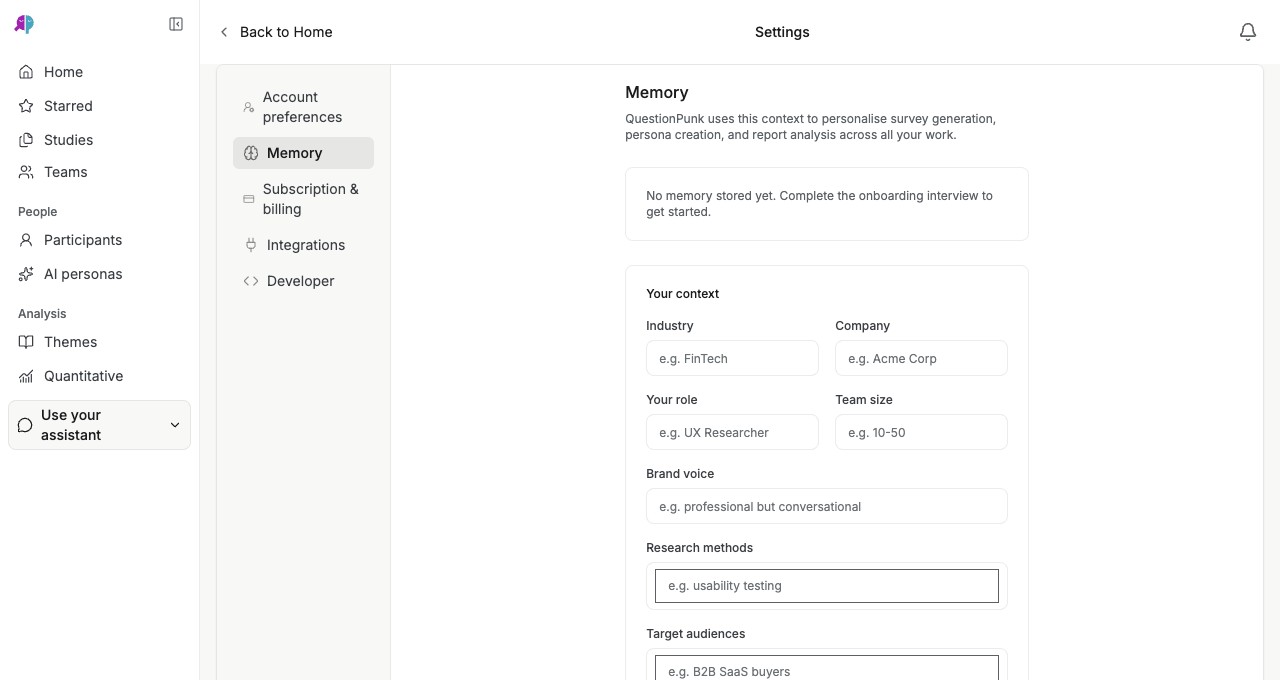
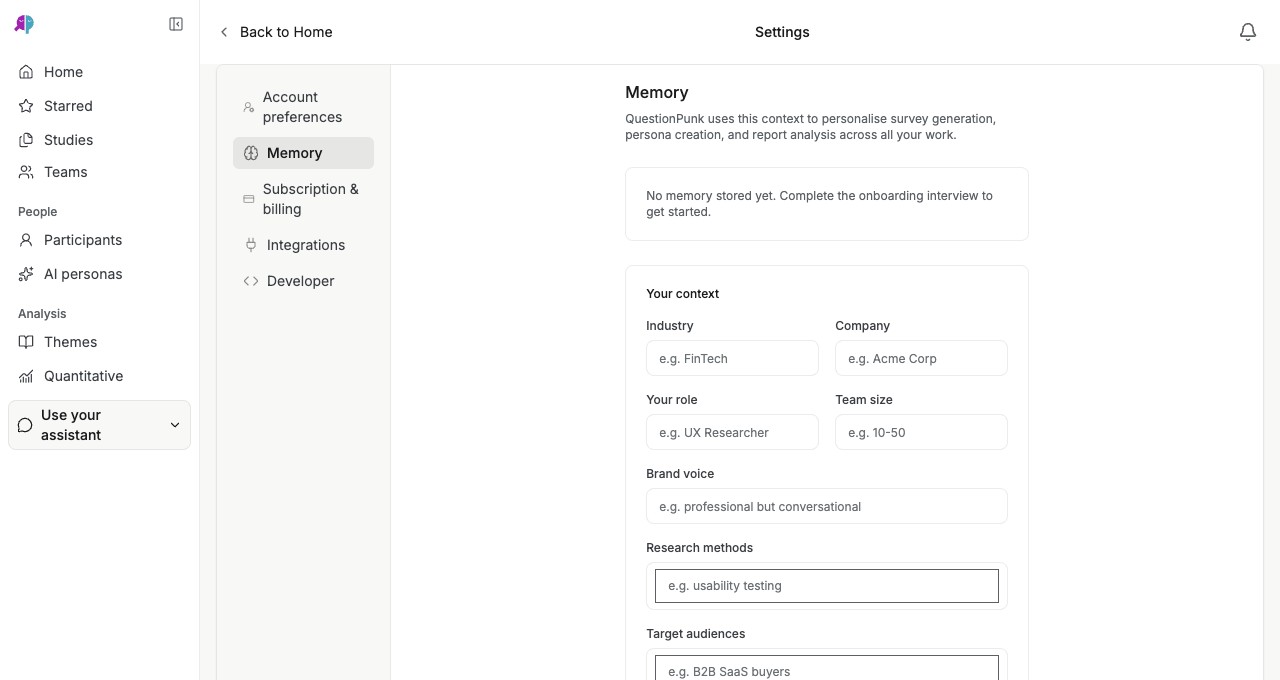
From the left sidebar, open your account menu or navigate to Settings → Memory. Review the structured Your context fields: Industry, Company, Your role, Team size, Brand voice, Research methods, and Target audiences.English interface · Settings → Memory showing workspace context fields used across survey generation, persona creation, and report analysis.
Complete the onboarding interview or enter fields manually
If no memory is stored yet, you can complete the brief onboarding interview or type directly into the context fields. Add tag chips for recurring Research methods (such as usability testing or pricing research) and Target audiences (such as B2B SaaS buyers).Review and remove individual memory items
When AI extracts facts from your onboarding interview or study planning chats, they appear as individual memory items alongside your structured context. Edit any field when your team focus changes, or delete items you no longer want applied.Override context in individual studies when needed
Workspace Memory provides a default baseline for AI survey generation, synthetic personas, and report narratives. Whenever a specific study targets a different audience or tone, state that explicitly in your study prompt or report brief to override the workspace default.
Details and limitations
Without workspace context, every new AI prompt starts from a blank slate. Saving your industry, brand voice, and typical audiences in Settings → Memory keeps terminology and question framing consistent across studies.
Memory only informs AI generation, persona creation, and report analysis in your workspace. It is never shown directly to survey respondents.
If you research multiple distinct products or client brands from one account, keep Settings → Memory focused on shared methodological preferences and specify brand-specific details inside each study or Research Project.
Check the result
Your workspace context is saved in Settings → Memory and automatically informs new AI survey drafts, personas, and report analyses.
If something goes wrong
If a new survey draft uses context from an older project, open Settings → Memory to update or clear outdated fields, or state the target audience and tone explicitly in the study prompt.