
Viewing the report
How to read and understand your survey report.
The Results tab shows auto-generated charts for closed-ended questions, response lists for open-ended questions, AI analysis, and cross-tabulation. Learn how to navigate and use each section.
Steps
- Navigate the Results tabThe Results tab has five sub-tabs: Responses (browse individual responses), Analysis (AI-generated narrative report), Breakdown (per-question charts and statistics), AI Runs (synthetic test run history), and Chat (ask questions about your data with AI).
- Browse individual responsesThe Responses sub-tab lists all collected responses on the left. Click a response to see the full conversation in the center panel. The right panel shows response details: language, date, fraud status, events, and geolocation. Filter by status, suspicious level, response type, date range, revision, answer content, and respondent codes.
- Generate an AI reportThe Analysis sub-tab produces an AI-generated narrative report from your survey data. The report includes executive summaries, per-question analysis, charts, and key themes. You can refine the report through a conversation interface, and each version is saved for comparison. Export as PDF or Word.
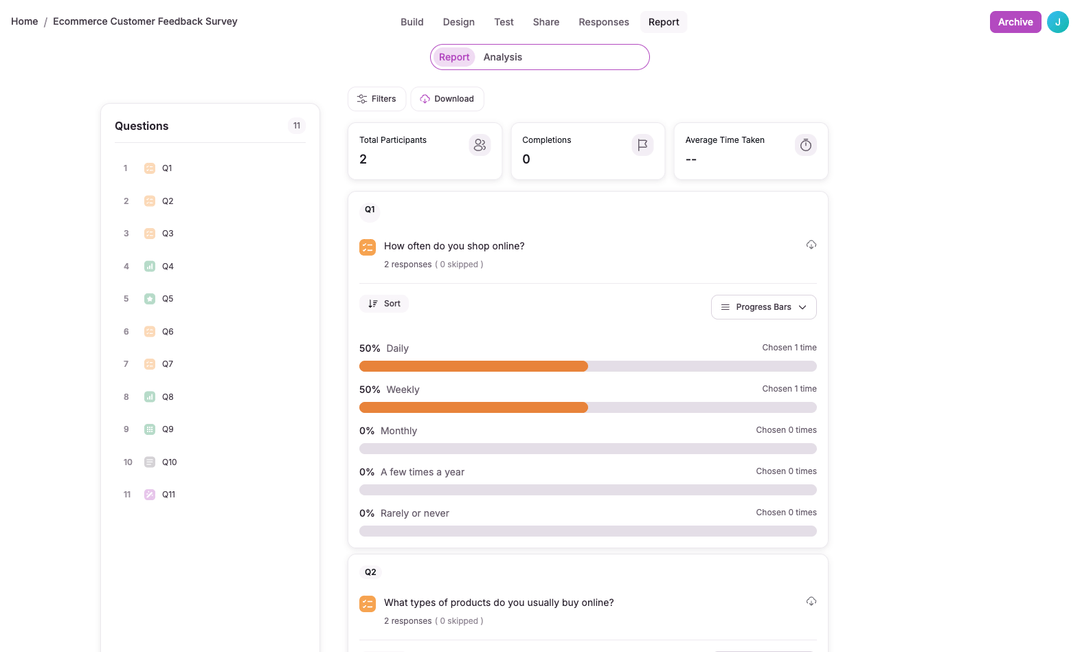
- Review per-question breakdownThe Breakdown sub-tab shows auto-generated charts for each question. Bar charts display response distributions with counts and percentages for structured questions. Open-ended responses are listed with timestamps. Download the breakdown as PDF, PNG, or JPG, or as a PowerPoint deck.
- Ask questions with AI ChatThe Chat sub-tab lets you ask natural-language questions about your survey data. The AI responds with insights, inline charts, stat badges, and quote blocks from your responses, with citations that link to the source responses. See AI insights for more analysis options.
- Tag and annotate responsesUse respondent codes to tag responses with colored labels and add internal comments for your team. Codes and comments appear in the response detail panel on the right side.
The Results tab organizes your survey data across five sub-tabs. Responses lets you browse individual submissions with filtering. Analysis generates AI-powered narrative analysis with versioning and conversation-based refinement. Breakdown shows per-question charts and statistics. AI Runs tracks synthetic test runs. Chat lets you query your data in natural language.
AI-generated reports include executive summaries, per-question analysis, charts, and extracted themes. Refine reports through a conversation interface, compare versions, and export as PDF or Word.
Per-question breakdown charts are created automatically for structured question types. Download the breakdown as PDF, PNG, or JPG for use in presentations or reports.
The Analysis sub-tab also switches into qualitative coding for structured analysis of open-ended responses, or quantitative analysis for descriptive statistics, correlations, regression, and segmentation. PowerPoint generation is under Breakdown > Download.