메시지
모든 템플릿Product & UX
디지털 접근성 장벽 및 보조 기술 경험 설문
디지털 접근성 장벽, 보조 기술 사용 패턴, 작업 완료 경험을 평가하여 WCAG 준수 격차를 파악하고 다양한 접근 요구를 가진 사용자를 위한 UX 개선 우선순위를 정합니다.
가입 없이 체험 · 무료 요금제도 응답 무제한
실시간 미리보기
디지털 접근성 장벽 및 보조 기술 경험 설문
디지털 접근성 및 보조 기술 경험에 관한 이 설문에 오신 것을 환영합니다. 이 설문은 최근 웹사이트와 앱을 이용하시면서 겪으신 경험과 마주치신 장벽에 관해 여쭙습니다. 귀하의 응답은 접근성 문제를 파악하고 개선 우선순위를 정하는 데 도움이 됩니다. • 참여는 자발적입니다. 어떤 질문이든 건너뛰거나 언제든지 중단하실 수 있습니다. • 정답이나 오답은 없으며, 저희는 귀하의 솔직한 경험을 원합니다. • 귀하의 응답은 기밀로 유지되며 종합적으로만 보고됩니다. • 예상 완료 시간: 8–10분. 준비되시면 진행해 주십시오.
Powered by QuestionPunk
기본 테마. 색상과 글꼴은 자유롭게 바꿀 수 있습니다.
샘플 질문
템플릿에 포함된 내용을 미리 확인해 보세요. 모든 질문은 설문 공개 전에 자유롭게 수정할 수 있습니다.
질문 21개 · 약 10분
Q01
객관식
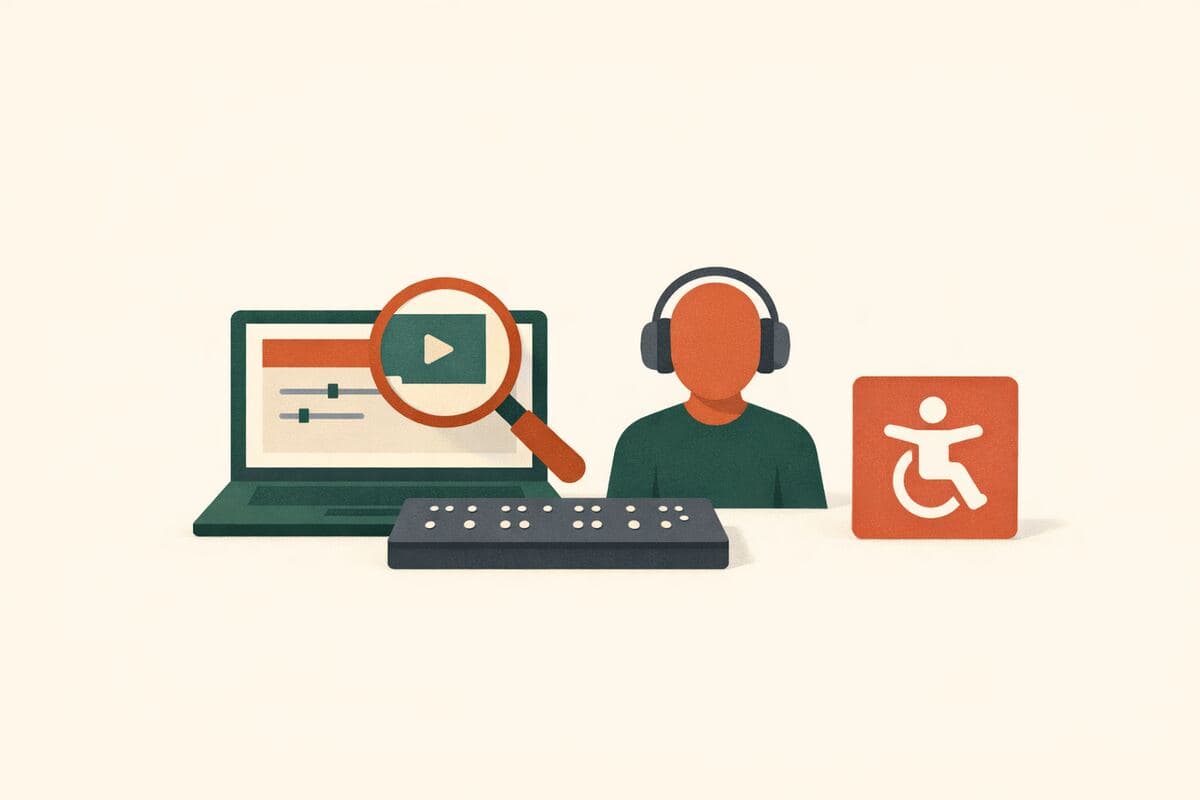
지난 30일 동안 웹사이트나 앱에서 어떤 보조 기술 또는 접근성 도구를 사용하셨습니까? 해당하는 것을 모두 선택해 주십시오.
- 화면 낭독 프로그램
- 화면 확대기 / 줌
- 키보드 전용 탐색
- 스위치 제어 / 스위치
- 음성 제어 / 받아쓰기
- 점자 정보 단말기
- 고대비 또는 사용자 지정 색상 구성
- 자막 또는 스크립트
- 기타 (직접 입력해 주십시오)
- 보조 기술을 사용하지 않음
Q02
드롭다운
웹사이트나 앱을 이용하실 때 주로 사용하시는 보조 기술은 무엇입니까?
- 화면 낭독 프로그램
- 화면 확대기 / 줌
- 키보드 전용 탐색
- 스위치 제어 / 스위치
- 음성 제어 / 받아쓰기
- 점자 정보 단말기
- 고대비 또는 사용자 지정 색상 구성
- 자막 또는 스크립트
- 기타 / 목록에 없음
- 해당 없음 — 보조 기술을 사용하지 않음
Q03
장문형
위에서 '기타'를 선택하셨다면, 사용하시는 보조 기술 또는 도구의 이름을 적거나 간단히 설명해 주십시오. (선택 사항)
Q04
객관식
온라인 작업에 주로 사용하시는 기기는 무엇입니까?
- 데스크톱 또는 노트북 컴퓨터
- 스마트폰
- 태블릿
- 여러 기기를 비슷하게 사용
- 기타 (직접 입력해 주십시오)
Q05
객관식
가장 자주 사용하시는 브라우저 또는 인앱 웹뷰는 무엇입니까? 해당하는 것을 모두 선택해 주십시오.
- Chrome
- Firefox
- Safari
- Microsoft Edge
- Opera
- Samsung Internet
- Android WebView
- 인앱 브라우저 (예: Facebook, X, Instagram)
- 기타 (직접 입력해 주십시오)
Q06
객관식
지난 30일 동안 웹사이트나 앱에서 다음 작업 중 어떤 것을 시도하셨습니까? 해당하는 것을 모두 선택해 주십시오.
- 가입 또는 로그인
- 콘텐츠 검색 또는 탐색
- 결제 또는 구매
- 양식 작성
- 파일 업로드 또는 다운로드
- 프로필 또는 설정 업데이트
- 섹션 또는 페이지 간 이동
- 알림 또는 메시지
Q07
의견 척도
지난 30일 동안 시도하신 작업들을 떠올려 보실 때, 현재 사용 환경으로 그 작업들을 완료하기가 전반적으로 얼마나 쉽거나 어려우셨습니까?
척도: 1 – 7
최소:매우 어려움최대:매우 쉬움
Q08
의견 척도
전반적으로 현재 사용 환경으로 의도하신 작업을 얼마나 자주 성공적으로 완료하실 수 있으십니까?
척도: 1 – 7
최소:전혀최대:항상
Q09
객관식
지난 30일 동안 대략 몇 개의 접근성 장애 요소를 마주치셨습니까?
- 없음
- 1–2
- 3–5
- 6–10
- 10개 초과
- 잘 모르겠음
Q10
객관식
다음 중 귀하의 경험에 가장 큰 영향을 미치는 장벽은 무엇입니까? 최대 3개까지 선택해 주십시오.
- 누락되거나 잘못된 레이블/안내 음성
- 키보드 트랩 또는 건너뛰기 링크 부재
- 예상치 못한 포커스 순서
- 낮은 대비 또는 작은 터치 대상
- 양식 오류가 음성으로 안내되지 않음
- 실시간 업데이트가 음성으로 안내되지 않음 (동적 콘텐츠 변경)
- 기타 (직접 입력해 주십시오)
Q11
의견 척도
전반적으로 지난 30일 동안 겪으신 접근성 문제는 얼마나 심각했습니까?
척도: 1 – 7
최소:전혀 심각하지 않음최대:매우 심각함
Q12
장문형
최근에 겪으신 접근성 문제 한 가지를, 발생한 위치(웹사이트, 앱, 또는 특정 페이지)를 포함하여 설명해 주십시오. 문제로 이어진 단계를 기억하신다면 함께 적어 주십시오.
Q13
AI 인터뷰
보조 기술과 디지털 접근성에 관한 귀하의 구체적인 경험을 좀 더 알고자 합니다. AI 진행자가 앞서 하신 응답을 바탕으로 몇 가지 후속 질문을 드리겠습니다.
Q14
장문형
이 설문에서 설명하신 경험을 바탕으로, 디지털 접근성에 관해 추가로 공유하고 싶으신 내용이 있으십니까? (선택 사항)
Q15
객관식
귀하에게 해당하는 접근 요구는 무엇입니까? 공유하고자 하시는 것을 모두 선택해 주십시오.
- 시각장애 또는 저시력
- 청각장애 또는 난청
- 인지 또는 학습
- 운동 또는 손 사용
- 언어
- 신경다양성
- 만성 통증 또는 피로
- 답변하지 않겠음
Q16
드롭다운
귀하의 연령대는 어떻게 되십니까?
- 18–24
- 25–34
- 35–44
- 45–54
- 55–64
- 65+
- 답변하지 않겠음
Q17
드롭다운
다음 중 귀하의 성 정체성을 가장 잘 설명하는 것은 무엇입니까?
- 여성
- 남성
- 논바이너리
- 직접 기술하고 싶음
- 답변하지 않겠음
Q18
장문형
성 정체성을 직접 기술하고 싶으시다면 여기에 적어 주십시오. (선택 사항)
Q19
드롭다운
현재 어느 지역에 거주하고 계십니까?
- 아프리카
- 아시아
- 유럽
- 북아메리카
- 오세아니아
- 남아메리카
- 답변하지 않겠음
Q20
드롭다운
귀하가 완료한 최종 학력은 무엇입니까?
- 고등학교 미만
- 고등학교 또는 이에 준하는 학력
- 전문대 재학 또는 준학사 학위
- 학사 학위
- 석사 학위
- 박사 학위
- 답변하지 않겠음
Q21
객관식
귀하의 현재 고용 상태는 어떻게 되십니까? 해당하는 것을 모두 선택해 주십시오.
- 전일제
- 시간제
- 자영업
- 학생
- 실업
- 은퇴
- 근로 불가
- 답변하지 않겠음
메시지
시간 내주셔서 감사합니다. 귀하의 의견은 모두를 위한 디지털 접근성 개선에 직접적으로 도움이 됩니다. 이제 응답을 제출하실 수 있습니다.
포함된 기능
AI 후속 질문
정형화된 설문이 놓치는 세부 내용을, 주관식 답변에 맞춰 AI가 심층 질문으로 끌어냅니다.
주의력 확인 장치
성의 없는 답변과 저품질 응답자를 걸러내는 내장 안전장치입니다.
AI가 작성한 문안
문구, 질문 순서, 분기 로직까지 AI가 연구 목표에 맞춰 작성합니다.
자동 리포트
응답이 모이면 주요 주제, 인용문, 이해하기 쉬운 요약이 자동으로 작성됩니다.
다른 서비스와 비교
다른 설문 도구의 가장 유사한 템플릿을 검토했습니다. 그 도구들이 잘하는 점과, 이 템플릿이 한발 더 나아가는 지점을 정리했습니다.
이 템플릿을 선택하는 이유
- Includes an adaptive AI follow-up interview that lets respondents describe specific accessibility barriers in their own words, going beyond fixed-choice fields to probe details on assistive tech workarounds and task friction.
- Combines quantitative severity and task-completion opinion scales with an open-text incident description question, giving both trend data and rich qualitative evidence for WCAG gap prioritization.
- Captures granular assistive technology usage (primary AT, device, browser/webview) alongside self-reported access needs and demographics, enabling cross-tabulation of barriers by user segment.
- Every AI-generated follow-up question is shown transparently, and responses are auto-scored for quality, so accessibility researchers can trust and audit the qualitative data feeding into the auto-generated report.
SurveySparrow
Workplace Accessibility Survey TemplateA fielding-ready static template focused on workplace accessibility perceptions and accommodations, making it a genuine topical competitor. It's built around fixed question sets rather than adaptive probing, so depth on specific barriers relies on how well the pre-written questions anticipate respondent situations. Framing skews toward internal workplace/employee accessibility rather than public-facing digital product/UX accessibility.
잘하는 점
- Purpose-built for accessibility topics rather than a generic repurposed survey
- Likely quick to deploy with SurveySparrow's existing survey distribution and reporting tools
- Employee/workplace framing may suit HR-driven accessibility audits
아쉬운 점
- Static question set with no adaptive AI follow-up to dig into individual barrier descriptions
- No mention of task-based or screen-share assessment of actual assistive technology use
- No transparent prompt methodology or automated per-response quality scoring is published
자주 묻는 질문
“디지털 접근성 장벽 및 보조 기술 경험 설문” 템플릿에는 어떤 질문이 포함되어 있나요?
바로 사용할 수 있는 질문 21개가 포함되어 있으며, 처음 질문은 다음과 같습니다: “지난 30일 동안 웹사이트나 앱에서 어떤 보조 기술 또는 접근성 도구를 사용하셨습니까? 해당하는 것을 모두 선택해 주십시오.” · “웹사이트나 앱을 이용하실 때 주로 사용하시는 보조 기술은 무엇입니까?” · “위에서 '기타'를 선택하셨다면, 사용하시는 보조 기술 또는 도구의 이름을 적거나 간단히 설명해 주십시오. (선택 사항)”. 전체 질문은 위에서 미리 볼 수 있고 모두 수정 가능합니다.
이 설문을 완료하는 데 얼마나 걸리나요?
응답자는 보통 질문 21개를 약 10분 안에 완료합니다.
템플릿을 수정할 수 있나요?
네. 설문을 공개하기 전에 모든 질문, 답변 옵션, 순서를 자유롭게 수정할 수 있습니다. 질문을 추가·삭제하거나 AI 편집기에 연구 목표에 맞춘 재구성을 요청할 수도 있습니다.
이 템플릿은 무료인가요?
네. 편집기에서 바로 열어 수정을 시작할 수 있습니다. 체험에는 계정이 필요 없으며, 무료 플랜으로 설문을 공개할 수 있습니다.
설문을 공개할 준비가 되셨나요?
이 템플릿을 편집기에서 열어 보세요. 첫 응답자가 보기 전에 모든 부분을 원하는 대로 바꿀 수 있습니다.
관련 템플릿
비슷한 주제의 다른 설문을 만나 보세요.