
Share and distribute your survey
All the ways to share your survey: links, embeds, panels, and QR codes.
Learn how to distribute your survey by generating a shareable link, embedding it on your website, recruiting participants, or using a QR code. Customize the link preview and set a custom URL slug.
Steps
- Share linkClick the Share tab, then Share link. Copy the direct survey URL. You can set a custom URL slug, customize the link preview (title, description), and select the language version to share.
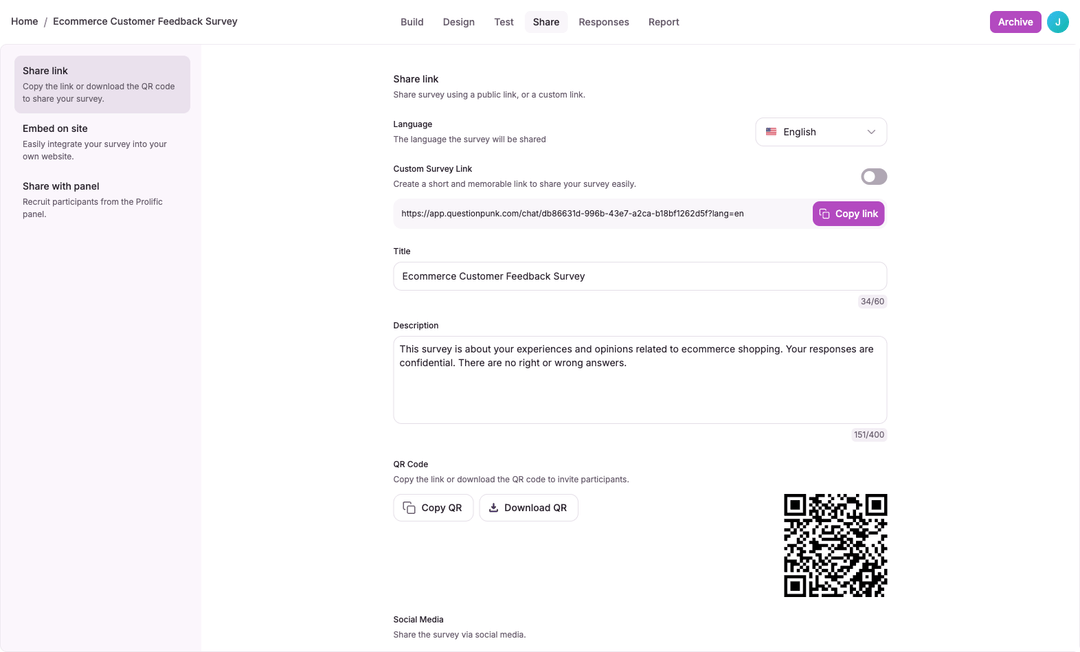
- QR codeIn the Share link panel, find the QR Code and click Download QR (PNG) or Copy QR. Great for print materials, posters, and in-person events.
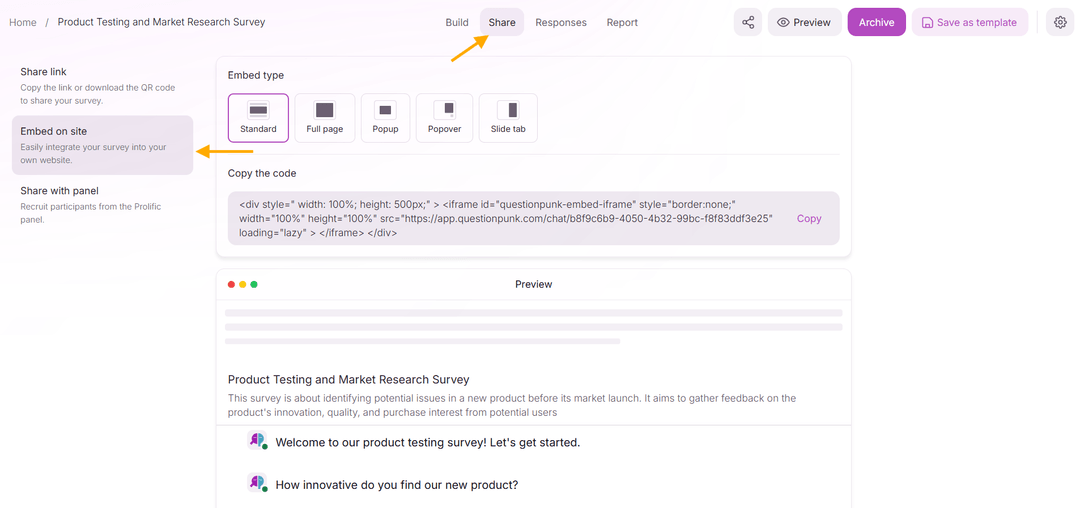
- Embed on a siteClick Embed on site to choose an embed type: Standard (fixed container), Full page (fills the viewport), Popup (modal overlay with close button), Popover (sticky button that opens a sidebar panel), or Slide tab (slide-in panel). Copy the generated code and place it on your website.
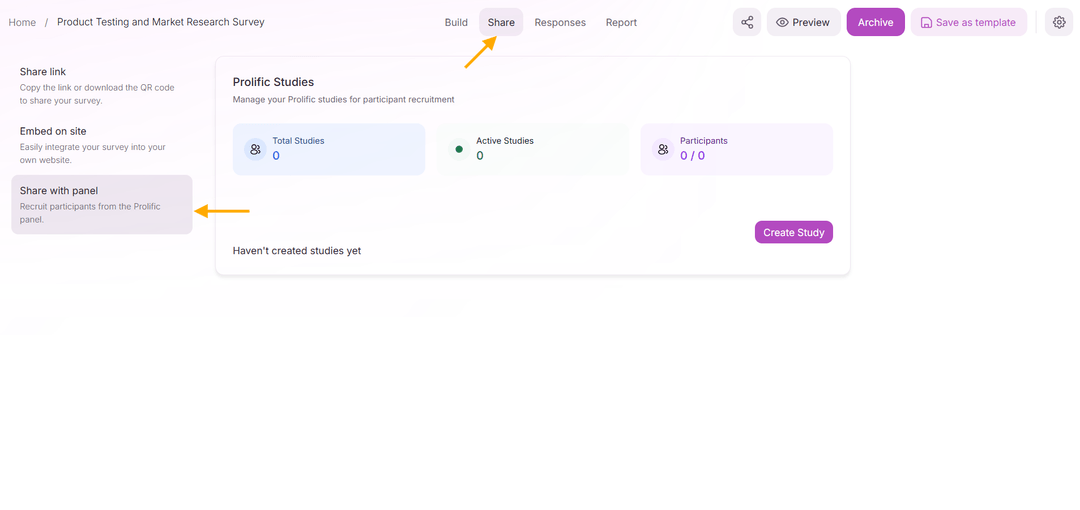
- Recruit participantsClick Recruit participants to find respondents. Use Prolific to recruit pre-screened, paid participants. Set the reward, number of places, estimated duration, and device requirements in the Prolific study form. Use Incentives for gift cards.
QuestionPunk offers multiple distribution methods: shareable links, website embeds (five embed styles: standard, full page, popup, popover, and slide tab), participant recruitment (Prolific), panel routing (SampleNinja, set in survey Settings), and QR codes.
Shareable links support per-language URLs. If your survey has multiple language versions, each language gets its own link.
Share link variants give each audience its own link and preview card (for example, one per university), up to 20 per survey.
The social share card section lets you control what people see when your survey link is shared on social media, email, or messaging apps. Customize the template, title, description, logo, colors, and branding toggle (removing branding needs Pro).
Share icons in the Share link panel post your survey link to LinkedIn, X (Twitter), Facebook, WhatsApp, email, and Telegram.